Integration case study
Shopify + Acumatica Integration Case Study
One connected workflow from storefront to shipment, with Shopify serving customers and Acumatica running the operation.
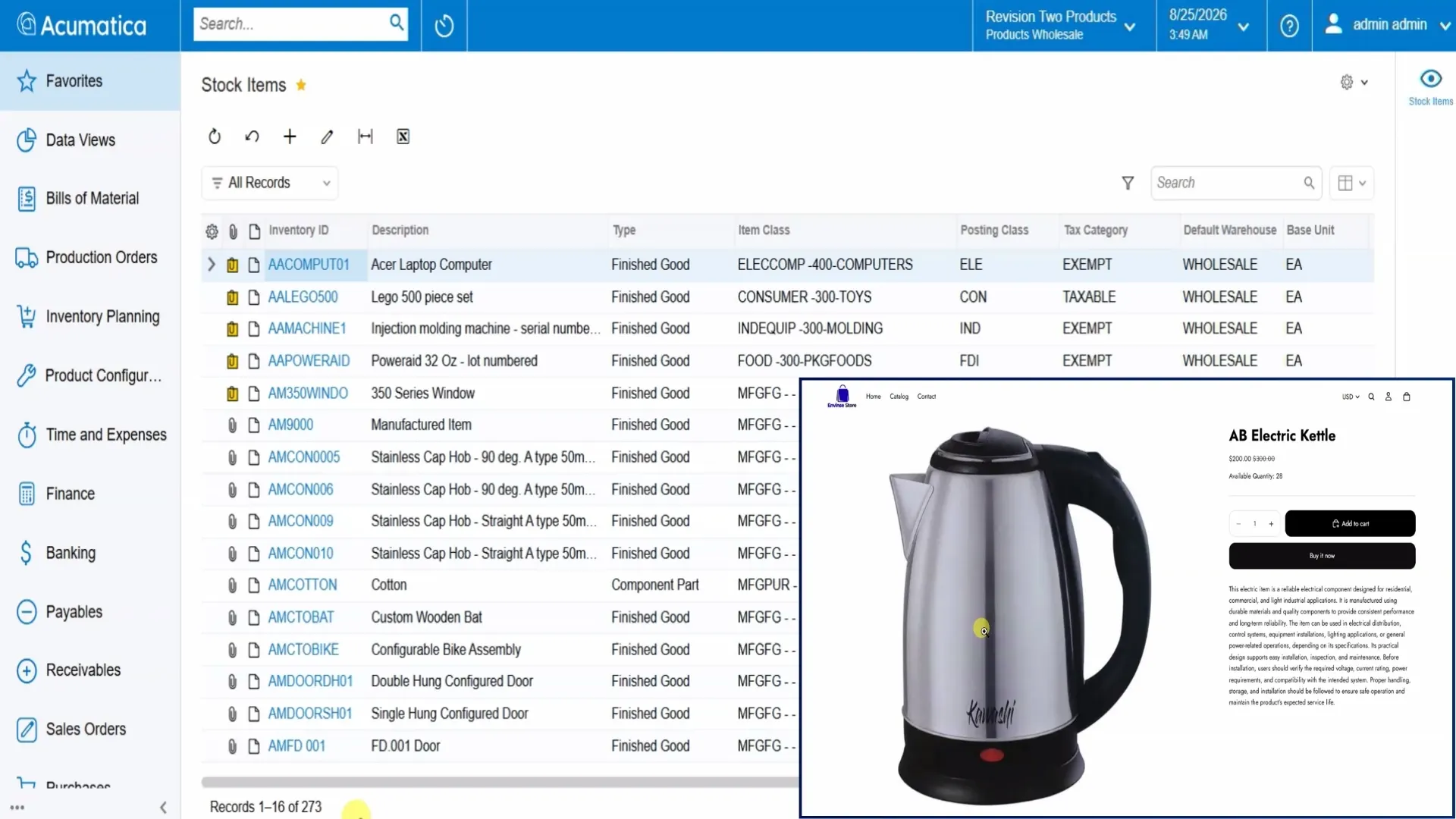
What does the Shopify + Acumatica integration accomplish?
It connects the customer-facing Shopify storefront with the operational workflow in Acumatica. Products and inventory stay aligned, Shopify customers and orders enter Acumatica with the details needed for processing, and shipment information moves back toward the storefront. The result is less duplicate entry and a simpler path from checkout to fulfillment.
The Challenge: Two Systems and Too Much Reconciliation
Selling online and running an ERP should be one motion. Too often, it becomes two disconnected processes. Orders placed in Shopify are re-entered in Acumatica. Stock levels drift until an oversell or stockout forces a correction. Product details are maintained in both systems and still end up inconsistent.
Each gap creates manual work, and every manual step is another opportunity for an error. As order volume grows, the storefront and back office begin telling slightly different stories. The team spends time reconciling records instead of processing and shipping orders.
The Approach: Configure the Integration Around the Operation
Envinse does more than enable a connector. We start with the business requirements and configure which entities synchronize, which system owns each field, and how records should move:
- Products and inventory: Items and availability managed in Acumatica are synchronized to Shopify so the storefront reflects ERP data.
- Customers: Shopify shoppers enter Acumatica under the appropriate customer class and numbering rules.
- Orders: A Shopify checkout becomes an Acumatica sales order with the customer, products, quantities, pricing, shipping information, and Shopify order reference.
- Payments and shipping: Payment and delivery details are mapped so the order is ready for the established process.
- Fulfillment: The team continues in its normal Acumatica workflow while configured shipment and status information move back toward Shopify.
Field mappings and synchronization cadence are set according to the merchant's catalog, order volume, and operating process. Some entities may run on a schedule; others may be configured for more immediate updates where appropriate.
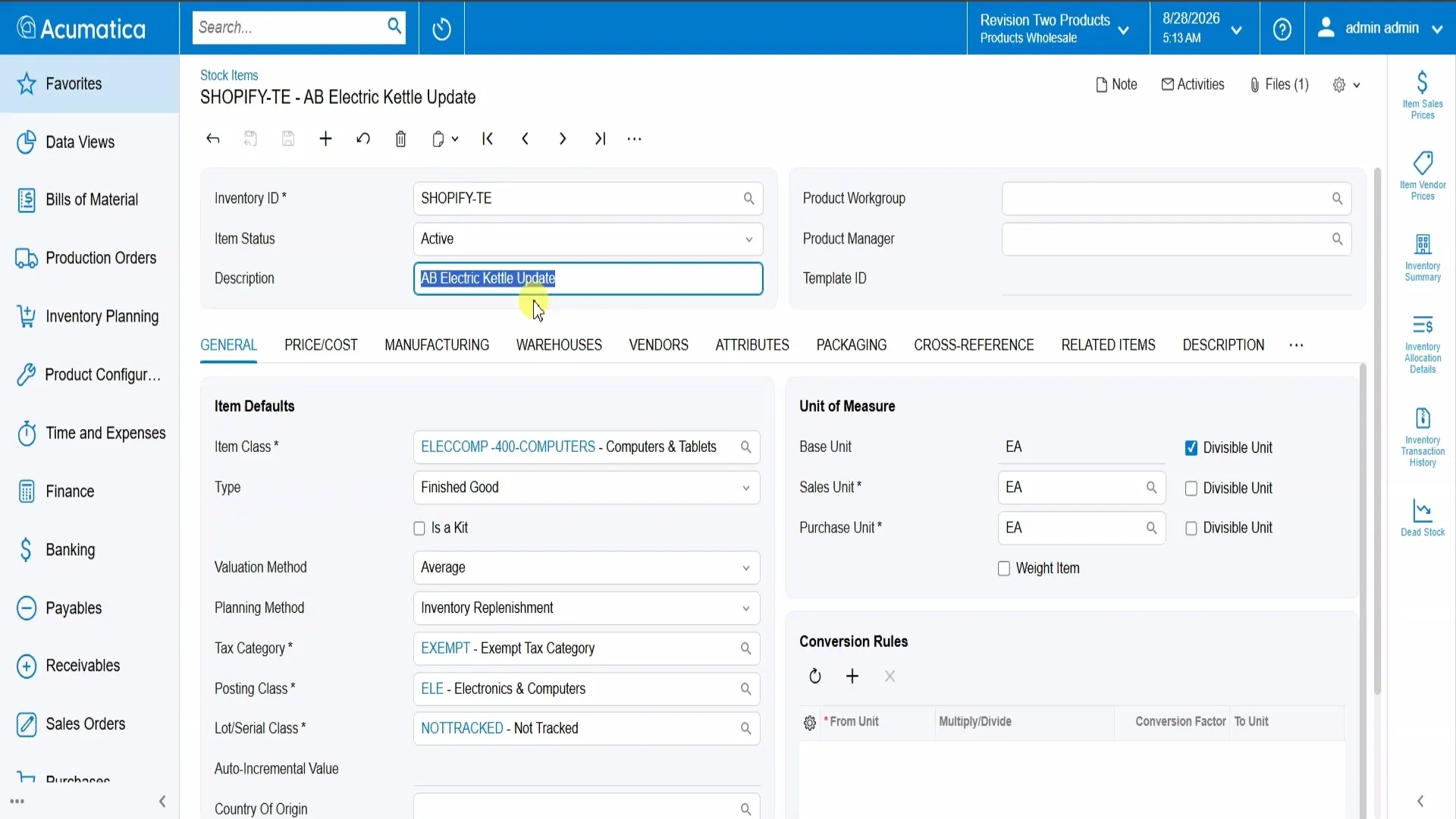
How the Connected Workflow Operates
- Product and availability data are prepared in Acumatica. The configured items and inventory information are synchronized to Shopify.
- A customer completes checkout in Shopify. Shopify remains the customer-facing experience.
- The order enters Acumatica as a sales order. Customer, line items, quantities, prices, shipping details, and the original Shopify reference arrive together.
- The team fulfills the order in Acumatica. Existing operational processes continue without a separate order-entry workflow.
- Inventory and shipment information are kept up to date. Configured changes move back toward Shopify according to the selected cadence.
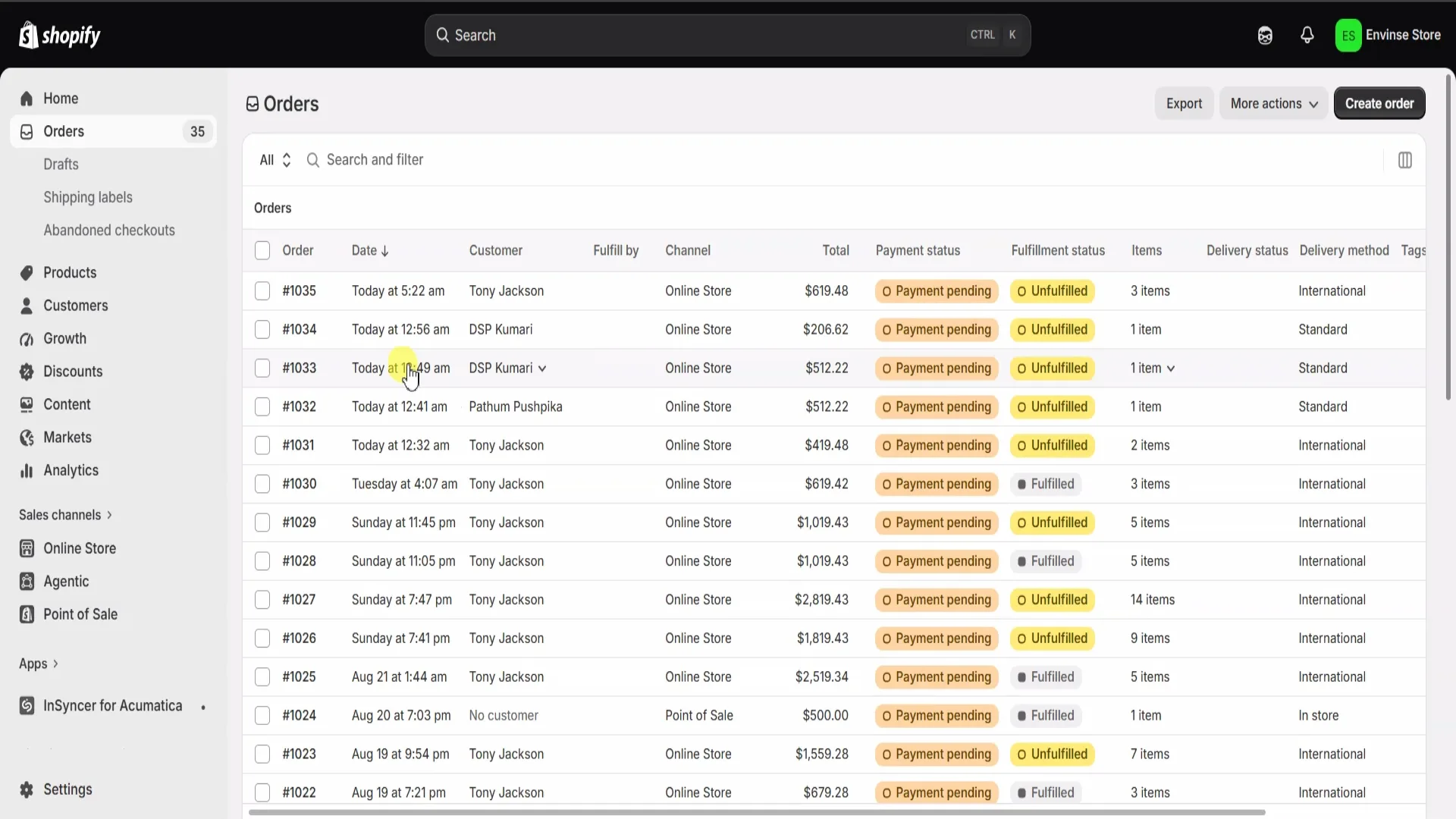
Inventory Stays Aligned with the Storefront
Inventory adjustments and other configured stock movements in Acumatica are synchronized to Shopify. That gives the storefront an availability picture based on the ERP rather than a separately maintained quantity.
The timing depends on the implementation. Scheduled and real-time synchronization are both available, and the right choice varies by entity, transaction volume, and the business's tolerance for delay.
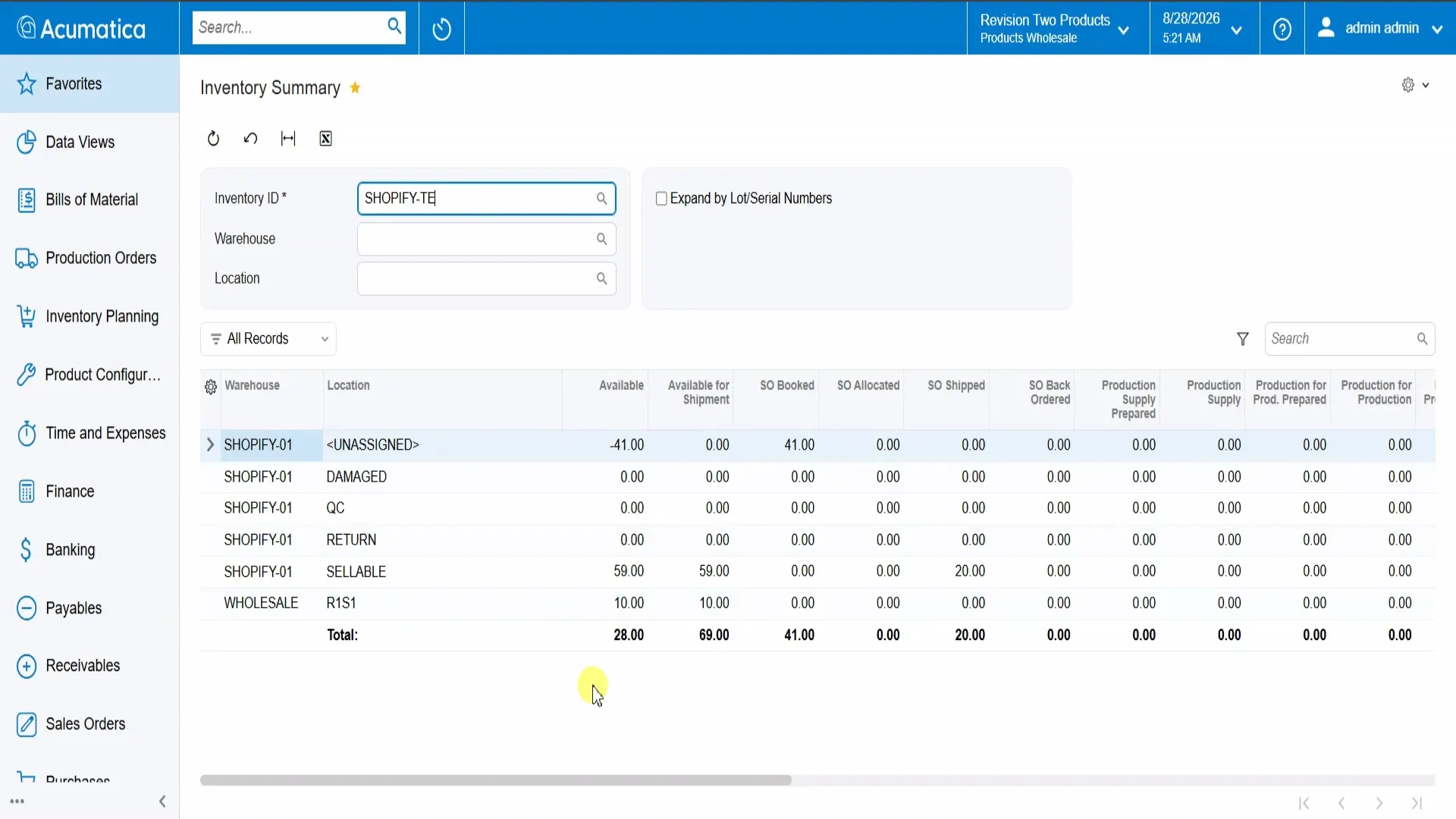
The Operational Outcomes
Less duplicate entry
Shopify orders no longer need to be re-keyed into Acumatica before fulfillment can begin.
More consistent data
Products, pricing, and availability follow the configured ownership and mapping rules across both systems.
Fewer stock surprises
Shopify availability is kept up to date as configured inventory changes occur in Acumatica.
Simpler operations
The team manages the operational workflow in Acumatica instead of maintaining two parallel processes.
Who This Integration Fits Best
This approach is a strong fit when a business:
- Sells through Shopify and uses Acumatica as its operational system of record.
- Processes enough orders that manual re-entry has become costly or error-prone.
- Needs inventory, pricing, and product data to agree between the storefront and ERP.
- Wants customer handling, order rules, field mappings, and synchronization timing shaped around its own process.
Why Envinse
A Shopify connector is only the foundation. The durable solution comes from deciding which records move, where data is mastered, how exceptions are handled, and what timing the operation requires.
Envinse designs and configures the integration around those decisions. From products and inventory to customers, orders, payments, shipping, and fulfillment, we build the Shopify and Acumatica workflow that fits the business rather than forcing the business into a rigid default.
This capability case study illustrates a representative Shopify and Acumatica configuration. Entities, mappings, timing, and outcomes vary by implementation.
Frequently Asked Questions
What does a Shopify and Acumatica integration synchronize?
A configured integration can synchronize products, inventory, customers, sales orders, payments, shipping, and fulfillment information. The exact entities and directions depend on the business requirements.
How do Shopify orders reach Acumatica?
A completed Shopify checkout is synchronized into Acumatica as a sales order with the customer, line items, quantities, pricing, shipping details, and Shopify order reference.
Does inventory move from Acumatica to Shopify?
Yes. Inventory changes managed in Acumatica can be synchronized to Shopify so online availability stays aligned with the ERP according to the configured cadence.
Is synchronization always real time?
No. Synchronization can run on a schedule or, where appropriate, in real time. Envinse configures the cadence by entity based on volume and operational requirements.
Who is this integration best suited for?
It is a strong fit for Shopify merchants that use Acumatica as their system of record and want to remove order re-entry, reduce manual stock reconciliation, and maintain product data in one operational workflow.
Build the Right Shopify and Acumatica Workflow
Tell us how products, orders, inventory, payments, and fulfillment should move. We will map the integration and return a fixed-price scope.
Discuss Your Shopify Integration →