Capability case study
Automotive Parts Distribution Built Into Acumatica
Purpose-built search, warehouse visibility, core-return accounting, operational dashboards, and Dynamics GP migration inside the ERP.
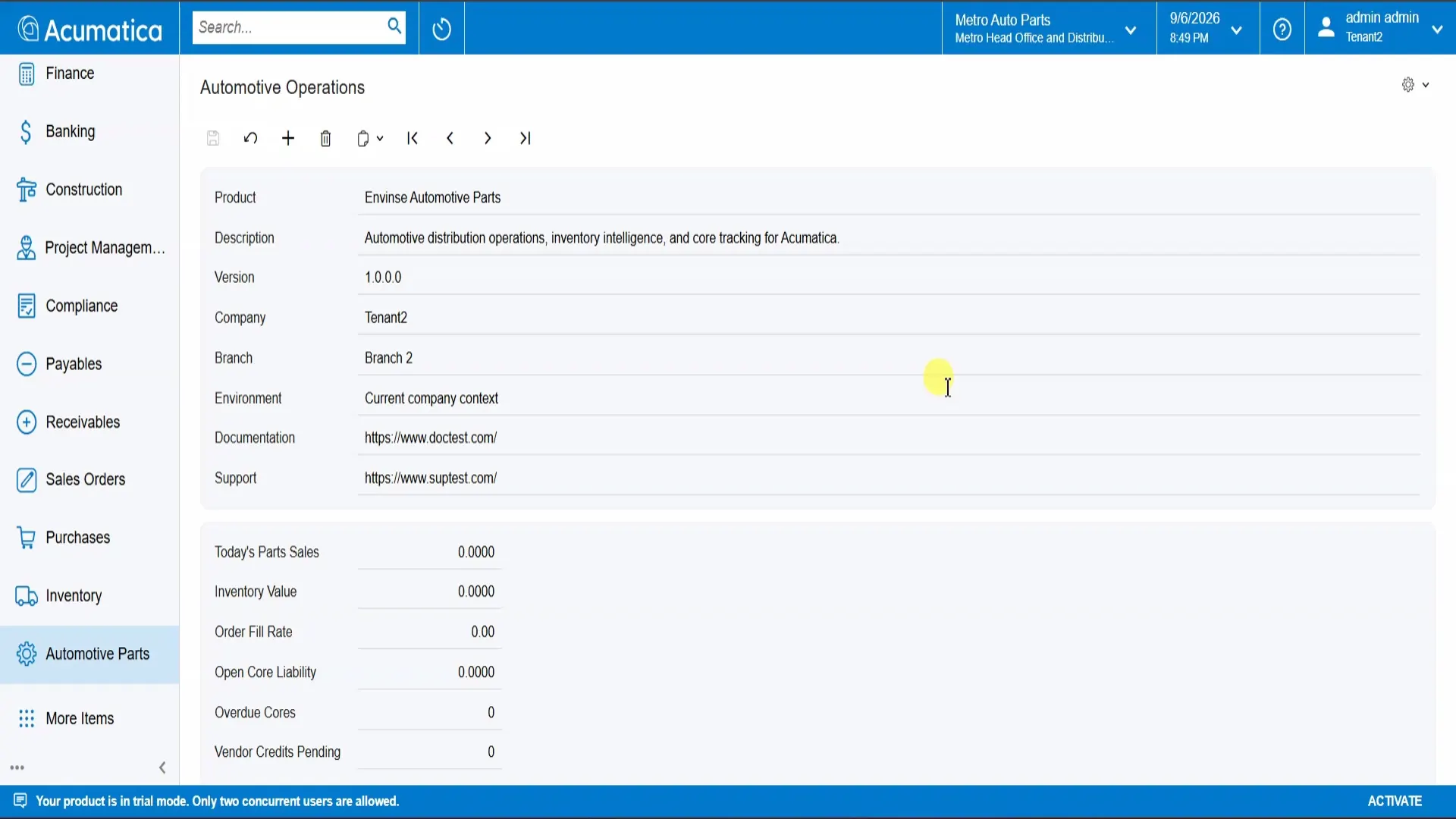
What does Envinse Automotive Parts bring into Acumatica?
It brings automotive-specific part search, cross-reference and supersession matching, multi-warehouse availability, customer and vendor core returns, operational dashboards, and a controlled Dynamics GP migration path into the same Acumatica environment that manages inventory, sales orders, and financials.
The Challenge: Generic ERP Workflows Miss Automotive Complexity
Automotive parts distribution is difficult to run on a generic ERP. Counter staff search with whatever information the customer provides - a keyword, OEM number, manufacturer, or the customer's own reference - rather than a clean inventory ID. Stock is spread across locations and must be evaluated as one network.
Cores add financial obligations in both directions: credits owed to customers and credits expected from vendors. Distributors still using Dynamics GP also face a data migration that must preserve mappings, exceptions, and reconciliation evidence.
When those workflows are handled with spreadsheets and workarounds attached to standard screens, they create daily friction, errors, and opportunities for margin to leak.
The Solution: One Automotive Module Inside Acumatica
Envinse Automotive Parts is an Acumatica ISV module that places these workflows directly in the ERP. One Automotive Professional license covers part search, multi-warehouse availability, customer and vendor core returns, operational dashboards, and the Dynamics GP migration path.
Because the module lives inside Acumatica, it uses the same parts catalog, inventory, sales orders, and financial records as the rest of the business. The distributor does not have to reconcile a separate automotive application with its ERP.
How the Automotive Workflow Operates
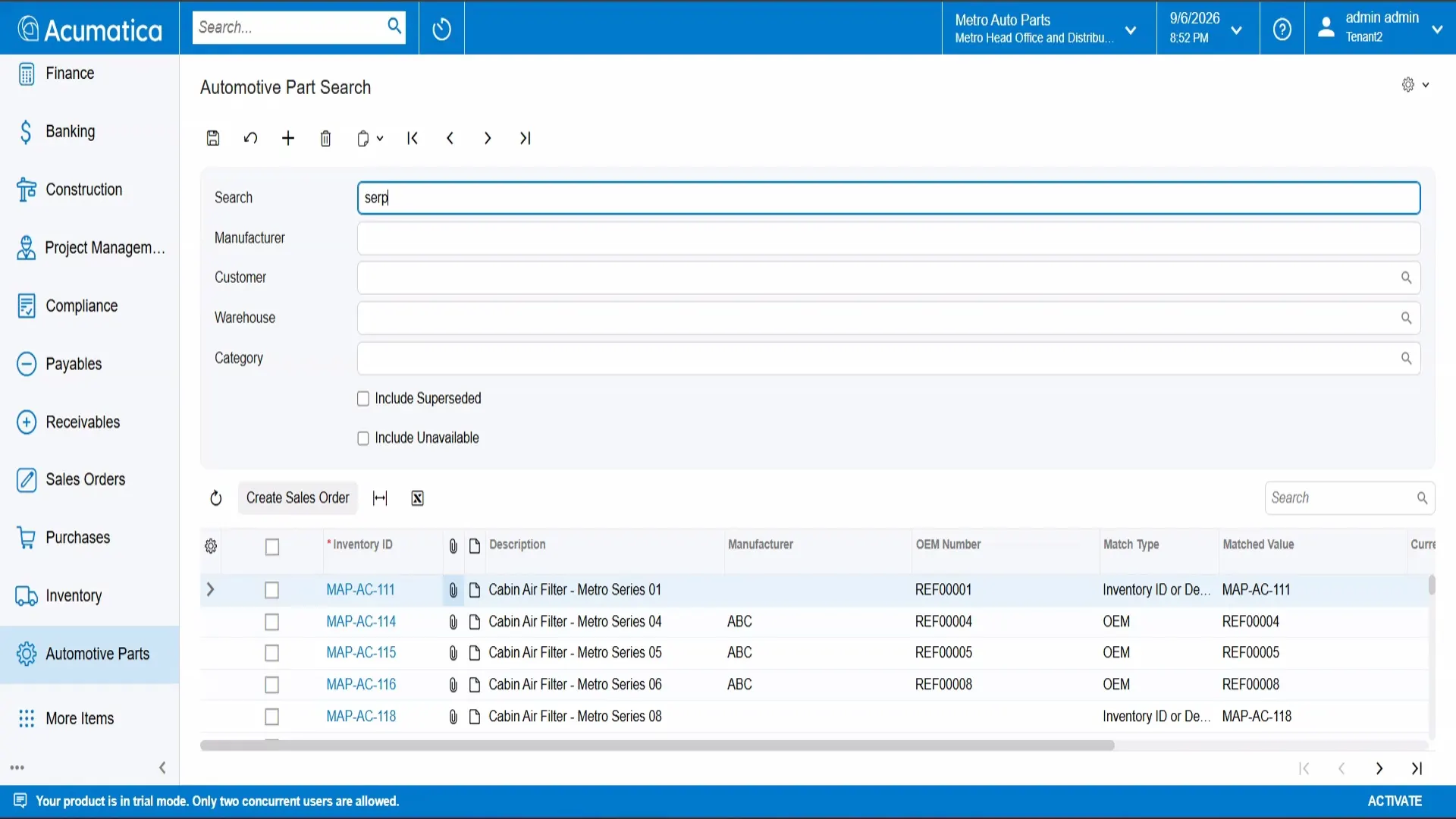
Search the Way the Counter Team Thinks
Automotive Part Search accepts loose keywords and filters by manufacturer, customer, warehouse, and category. It can include superseded or currently unavailable items when staff need a broader answer. Cross-reference and supersession matching surface the correct part even when the search value is not the exact catalog number.
Staff can select several results and create a sales order directly from the grid. The order opens with those part lines already populated, removing a second lookup and re-entry step.
See Availability Across the Warehouse Network
Warehouse availability brings on-hand quantity, available quantity, incoming supply, and customer allocation into one inquiry across locations. When the selected warehouse cannot supply the need, a transfer recommendation identifies another location that can.
The employee can answer the customer's availability question without opening and comparing a series of warehouse screens.
Track Every Core in Both Directions
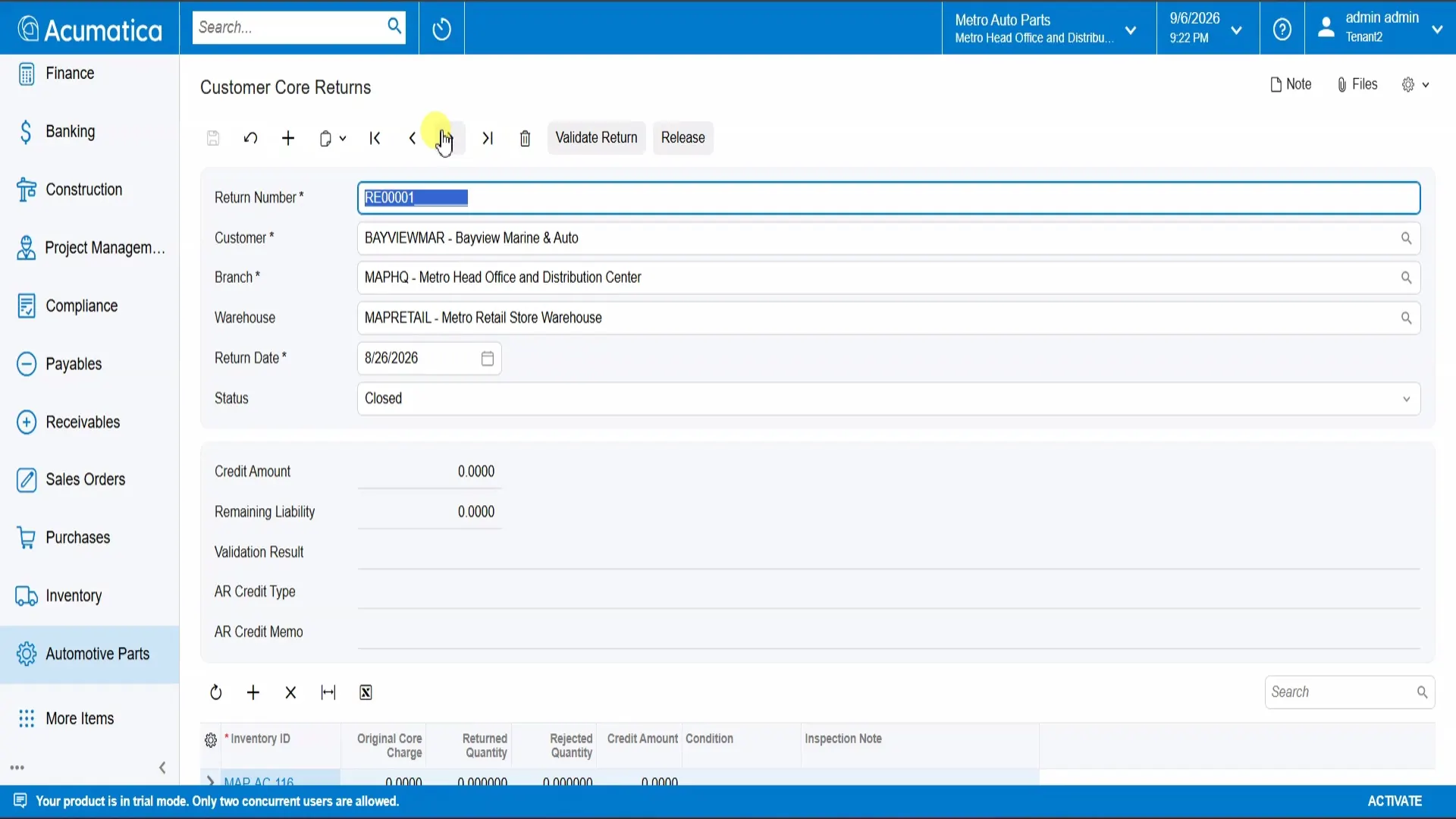
Customer core returns move from Open to Partially Returned to Closed while recording credit amount, remaining liability, line-level condition, and inspection notes. Validation and release complete the customer-credit process.
Vendor core returns follow their own Open, Shipped to Vendor, and Credited lifecycle, with the expected vendor credit visible throughout. The operation can account for core amounts owed to customers and expected from suppliers without a parallel spreadsheet.
Manage the Operation From Live Dashboards
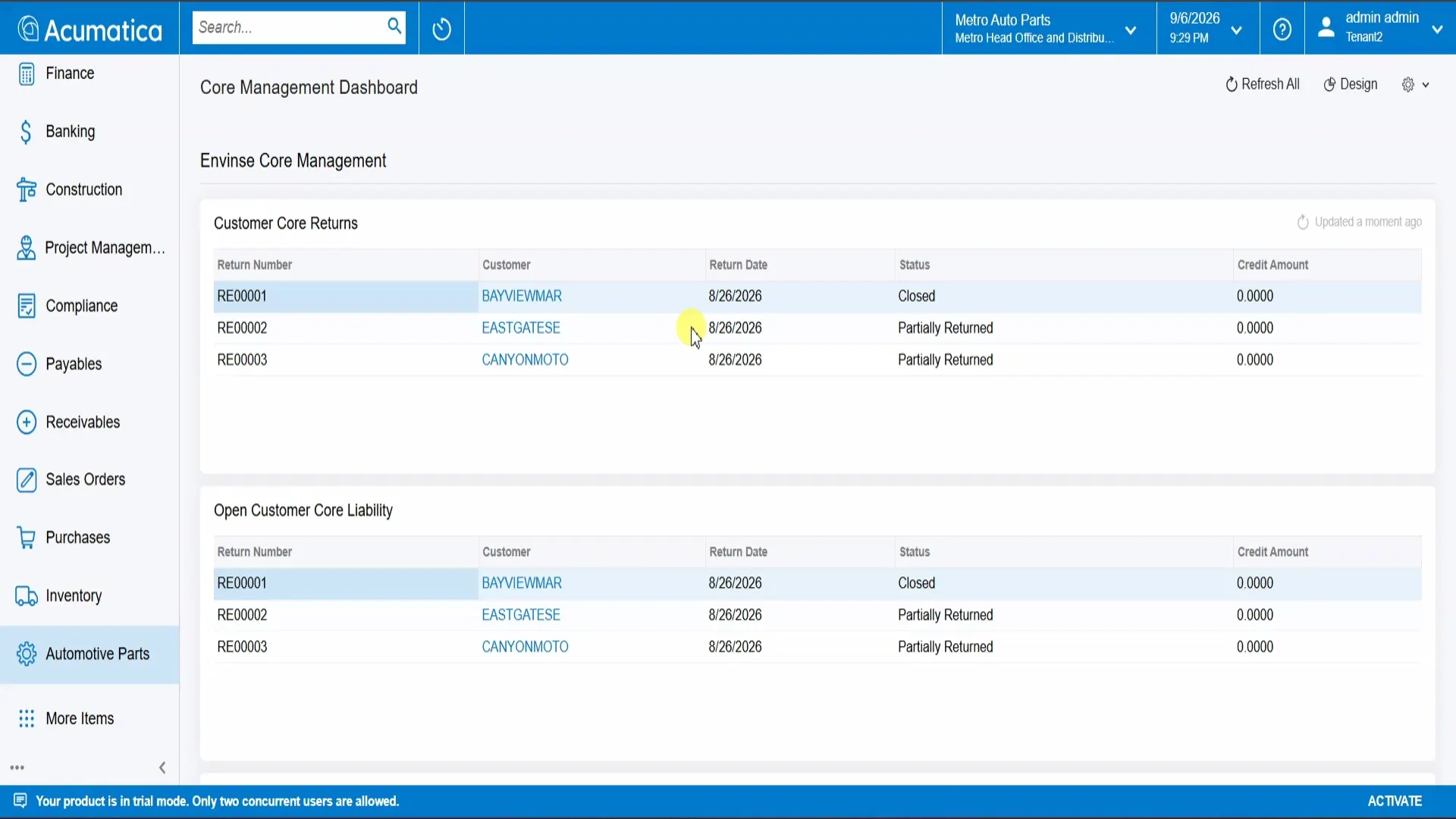
Core Management highlights open returns and outstanding liability. Automotive Operations tracks gross margin and order fill rate by part. Each KPI can drill into the underlying record, so a manager can move from an exception or trend to its source without exporting the data.
Migrate From Dynamics GP With an Auditable Process
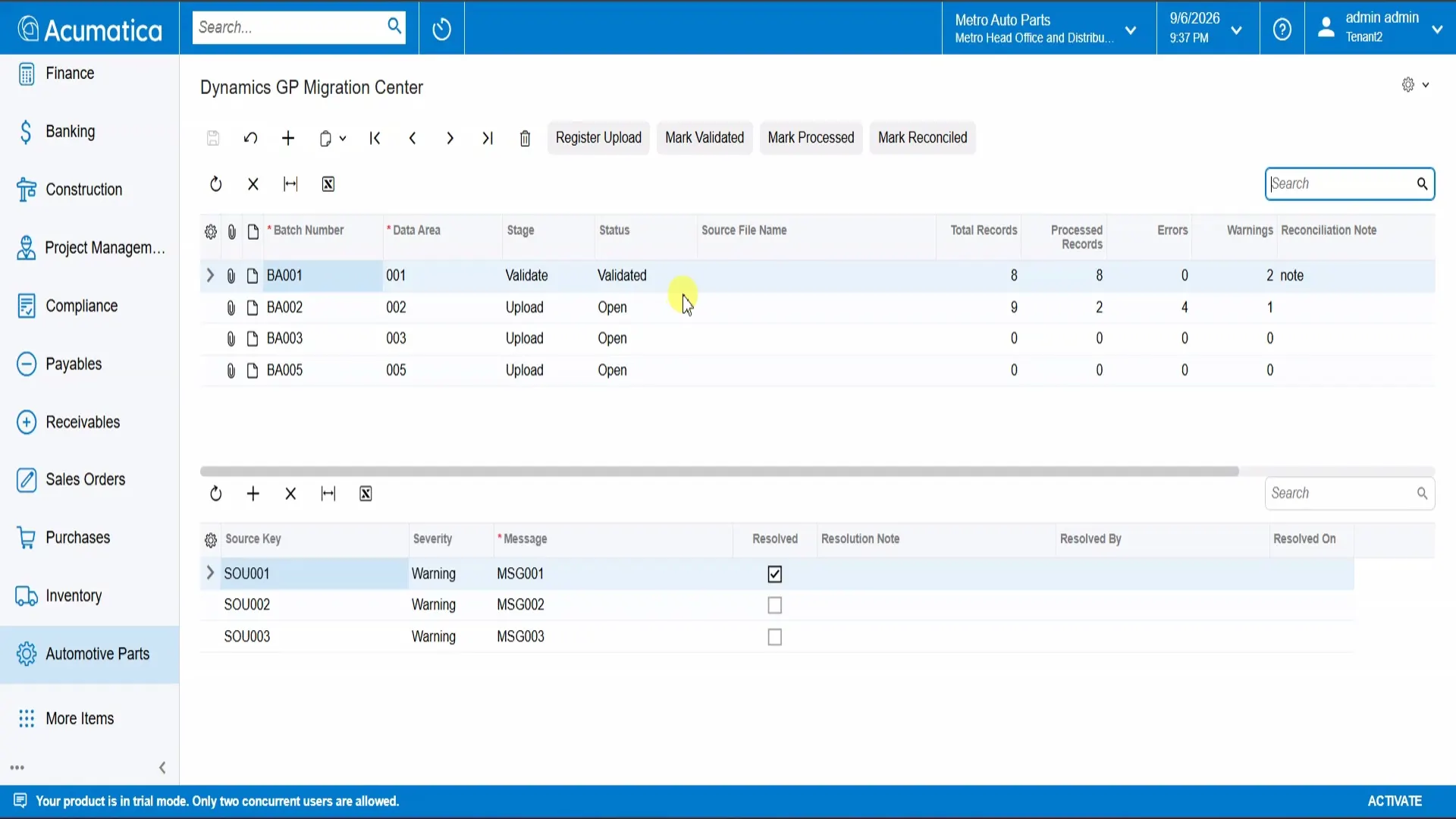
The Dynamics GP Migration Center takes each batch through Register, Validate, Process, and Reconcile stages. Field-level mappings are visible and editable, batch-level error and warning counts are recorded, and every issue can be resolved with a note.
This creates a controlled record of what moved, what failed, how an exception was handled, and whether the batch was reconciled before cutover.
What the Module Delivers
Faster counter service
Search and sales-order creation happen in one flow, reducing part-number research and duplicate entry.
Smarter stock movement
Network-wide visibility and transfer recommendations help staff source a part from the right location.
Controlled core liability
Two-sided lifecycle tracking keeps customer credits and expected vendor credits visible.
Decisions from current records
Liability, margin, and fill-rate dashboards replace after-the-fact spreadsheet reporting.
Lower migration uncertainty
A structured batch lifecycle and issue log make the Dynamics GP cutover auditable.
Why Envinse
Envinse builds automotive-specific capability into Acumatica rather than around it. Distributors gain purpose-built workflows while keeping employees on the inventory, order, and financial platform the business already uses.
Envinse Automotive Parts is delivered as one licensed module built for Acumatica 2025 R2, covering search, stock, cores, dashboards, and migration.
Solution demonstrated on Acumatica 2025 R2 with Envinse Automotive Parts. Customer, part, and record names shown in screenshots are demonstration data. Outcomes vary by implementation.
Frequently Asked Questions
What problem does Envinse Automotive Parts solve?
It brings automotive-specific part search, cross-references, supersession, multi-warehouse availability, customer and vendor core returns, operational dashboards, and Dynamics GP migration into Acumatica.
Is Envinse Automotive Parts native to Acumatica?
Yes. It is an Acumatica ISV module that uses the same parts catalog, inventory, sales order, and financial records as the rest of the business.
How does the module handle core returns?
Customer core returns track status, credit, remaining liability, condition, and inspection details. Vendor core returns track shipment and expected vendor credit through their own lifecycle.
Can it help migrate from Dynamics GP?
Yes. The Migration Center guides each data batch through Register, Validate, Process, and Reconcile stages with visible mappings, issue tracking, and batch-level error and warning counts.
Which Acumatica version is demonstrated?
The solution shown is built for the Acumatica 2025 R2 25.201 baseline and delivered in the Automotive Professional edition.
See Envinse Automotive Parts for Your Operation
Tell us how your team searches parts, manages warehouse stock, reconciles cores, and plans its Dynamics GP migration. We will map the right Acumatica solution and return a fixed-price scope.
Discuss Automotive Parts for Acumatica →