Acumatica automotive distribution
How to Run Automotive Parts Distribution Inside Acumatica
Part search, cross-references, warehouse availability, core returns, operational dashboards, and Dynamics GP migration in one Acumatica module.
How can an automotive parts distributor run inside Acumatica?
Envinse Automotive Parts extends Acumatica with loose part search, OEM and customer cross-references, supersession handling, one-click sales-order creation, multi-warehouse availability, customer and vendor core returns, automotive dashboards, and a controlled Dynamics GP migration workflow. The module keeps these processes on the same inventory, order, and financial records used by the rest of the business.
Automotive parts distribution places demands on an ERP that many out-of-the-box systems were not designed to handle. Counter staff rarely know the exact SKU. Stock is spread across several warehouses. Cores create liabilities in two directions. For businesses still running Dynamics GP, a future migration shapes every technology decision.
Envinse Automotive Parts is an ISV module that builds these workflows into Acumatica 2025 R2. Here is how each capability works and why it matters to a parts operation.
Search the Way Your Parts Team Actually Searches
Ask a counter representative for a part and they may describe it by keyword, manufacturer, OEM number, or a customer's own reference. A rigid SKU-only lookup forces the employee to translate what the customer knows into the one identifier the ERP accepts.
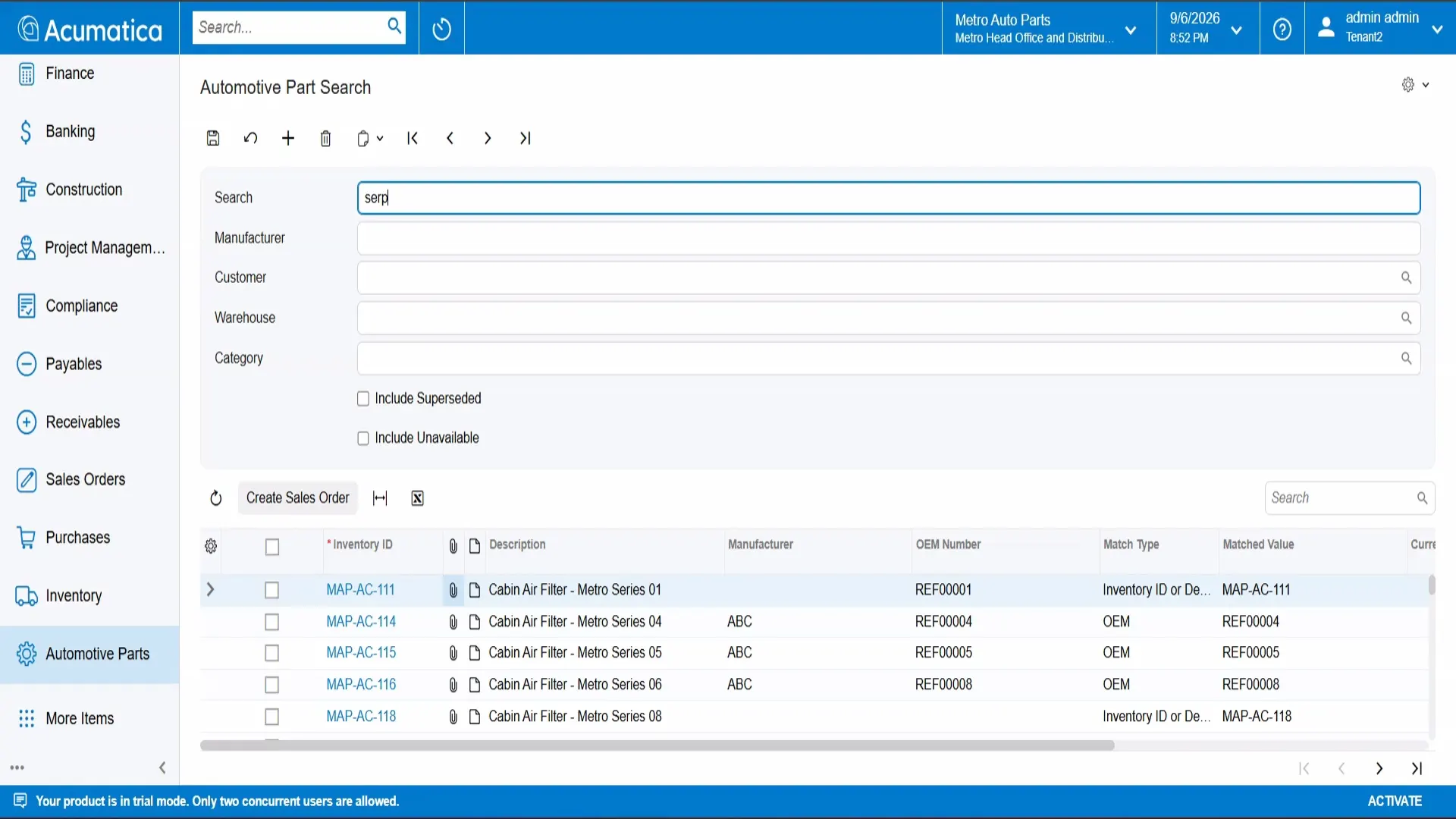
Automotive Part Search supports loose search and filters for manufacturer, customer, warehouse, and category. Staff can include superseded or unavailable parts when the situation requires it. Cross-references and supersessions are matched automatically, and a match-type indicator explains why each result appeared.
Turn a Search Directly Into a Sales Order
Finding a part is only half the job. From the results grid, staff can select multiple parts and create a sales order in one action. The new order opens with those lines already populated and ready for customer and quantity details.
This removes the need to copy part numbers into a separate order-entry screen and reduces the risk that the employee orders a different item from the one identified during the search.
See Real Stock Across Every Warehouse
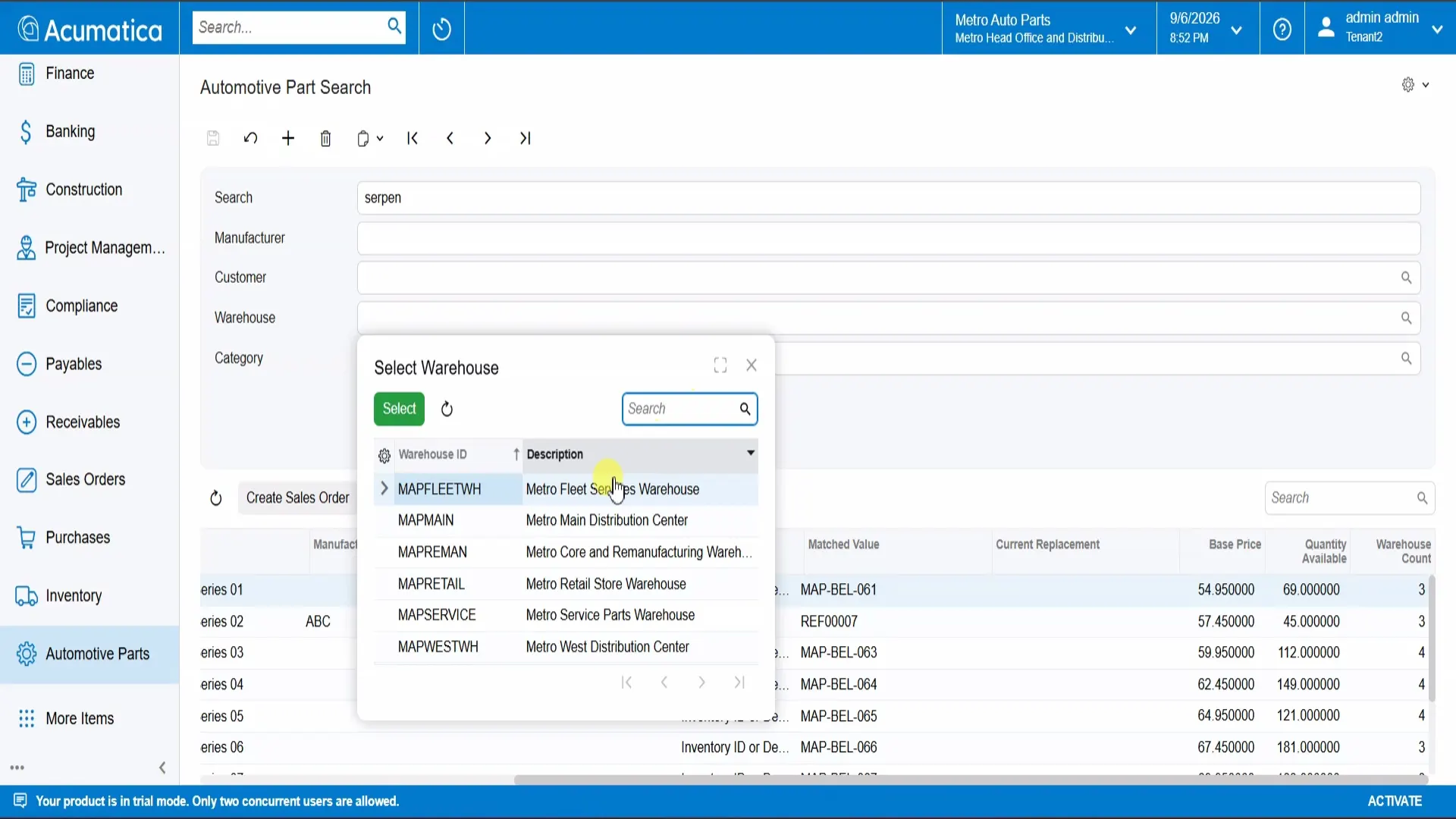
When a customer is waiting on the phone, checking another warehouse should not require opening several screens. The module shows on-hand and available quantities for a part across locations in one view, together with incoming supply and customer allocations.
When a location runs short, a transfer recommendation identifies another warehouse that can supply the part. The employee can answer the availability question and understand the next operational step without reconstructing the inventory position manually.
Track Cores in Both Directions
Cores create operational and financial obligations on both sides of a transaction. Generic inventory workflows rarely make those obligations easy to see, especially when returns are partial or awaiting inspection.
Envinse Automotive Parts tracks both flows:
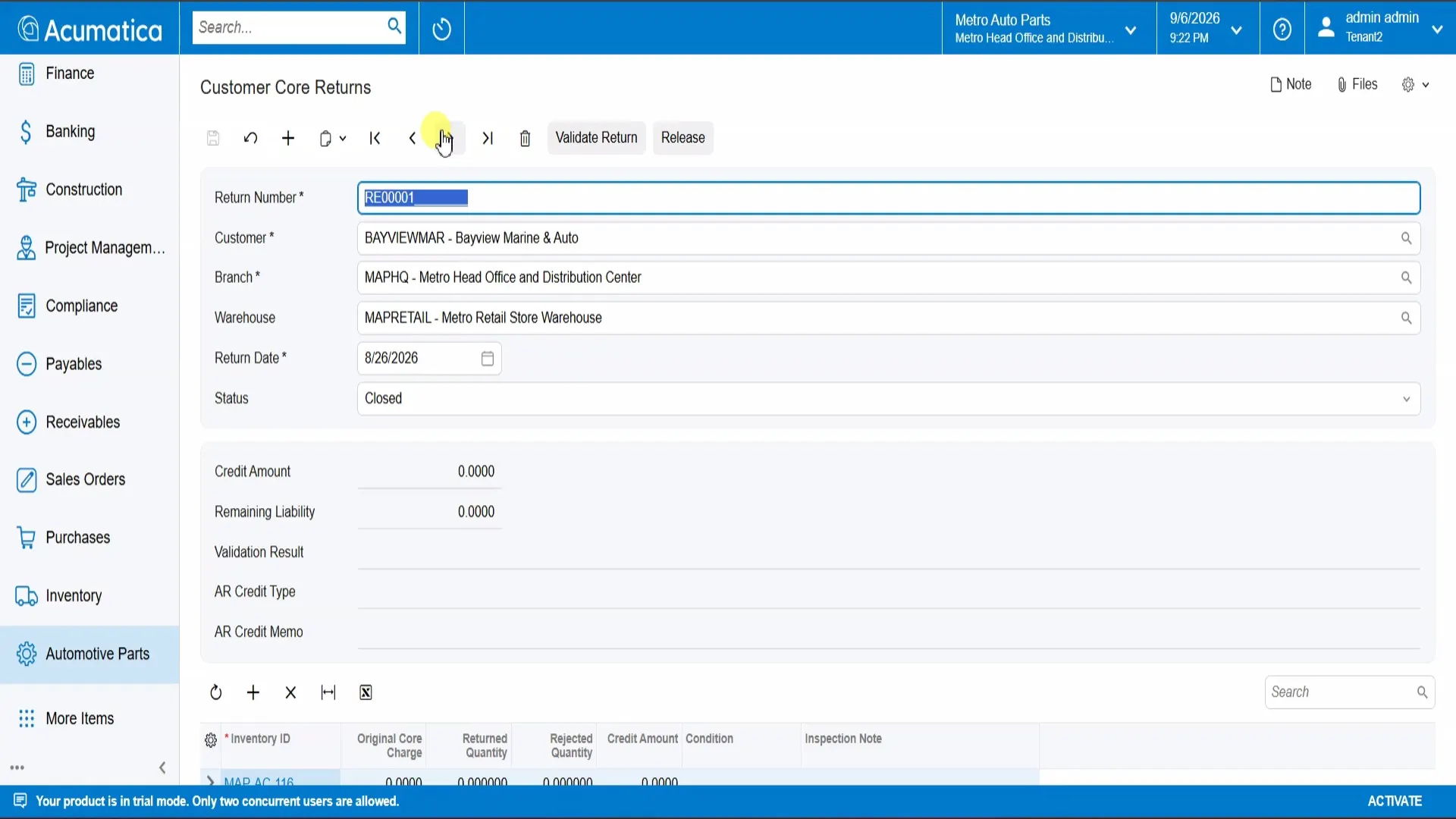
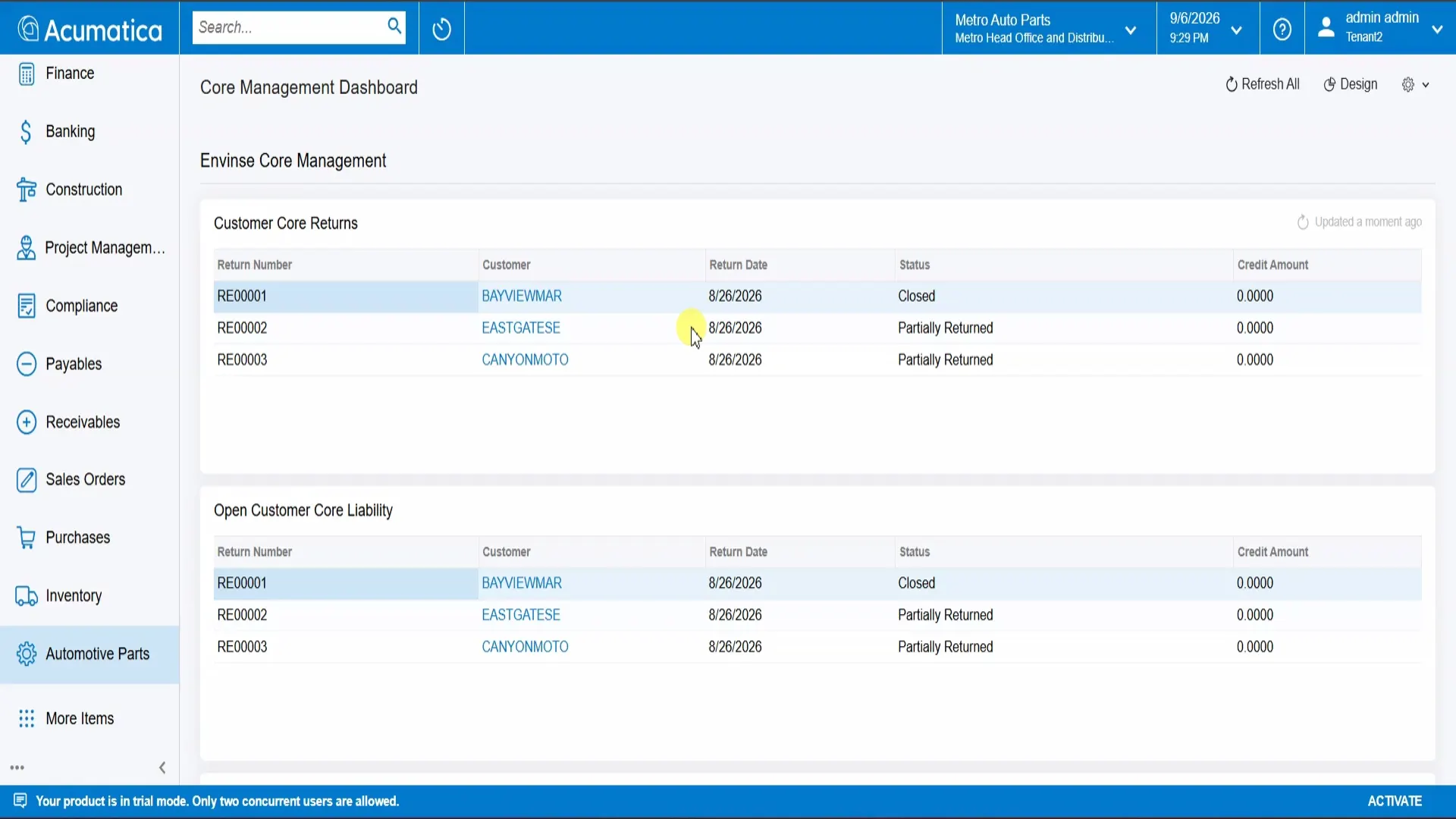
- Customer core returns move from Open to Partially Returned to Closed. The record carries the credit amount, remaining liability, per-line condition, and inspection notes. Validation and release complete the credit process.
- Vendor core returns move from Open to Shipped to Vendor to Credited, with the expected vendor credit tracked throughout the lifecycle.
Every core amount owed to the distributor or owed by the distributor stays attached to the transaction instead of being maintained in a separate spreadsheet.
Run the Operation From Live Dashboards
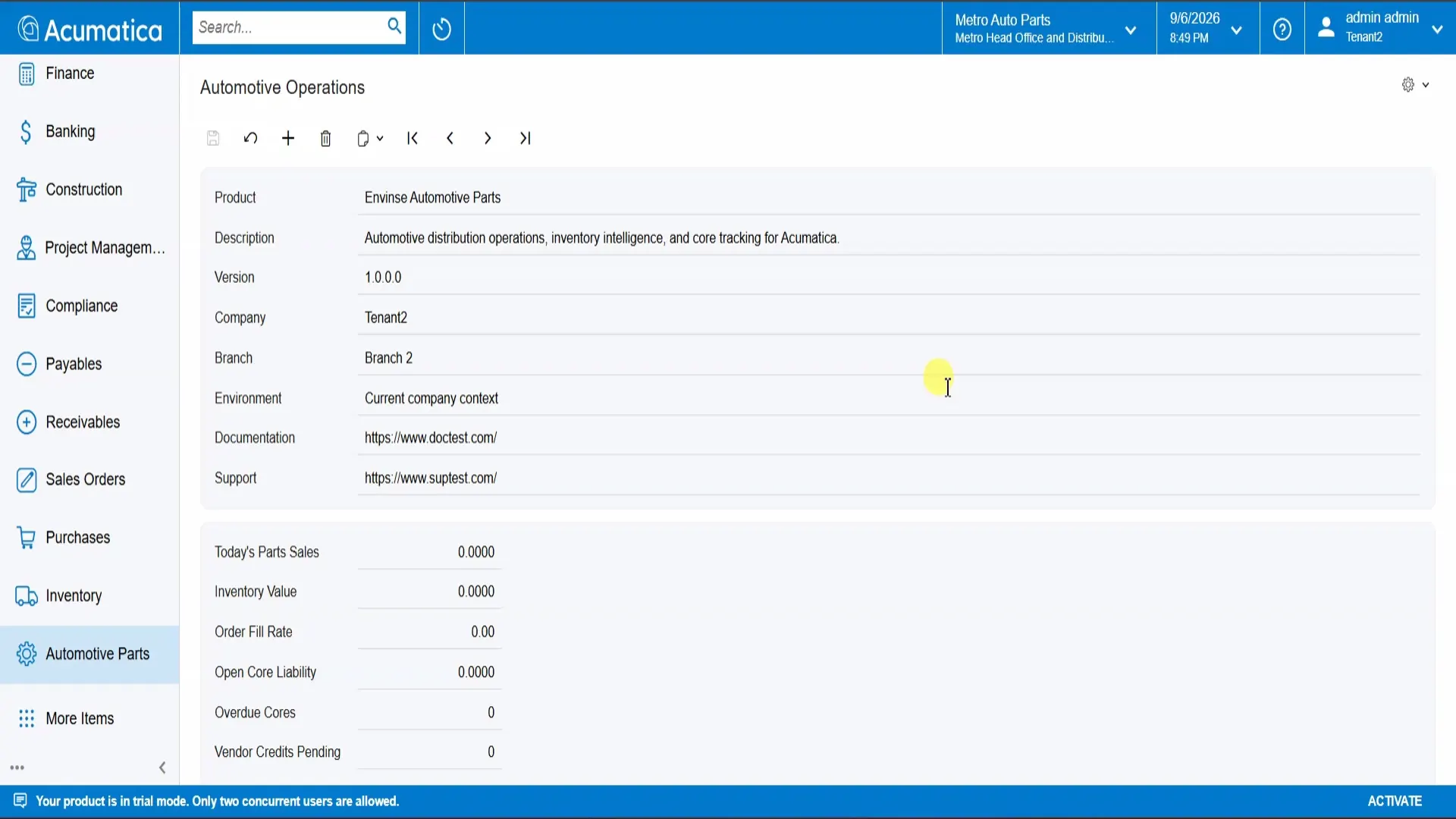
The module includes dashboards designed for automotive parts operations. Core Management surfaces open returns and outstanding liability. Automotive Operations tracks measures such as gross margin and order fill rate at the part level.
Each KPI drills into its underlying records. A manager can move from a summary number to the returns, parts, or orders that produced it without exporting the data to a separate reporting tool.
Migrate From Dynamics GP Without Guesswork
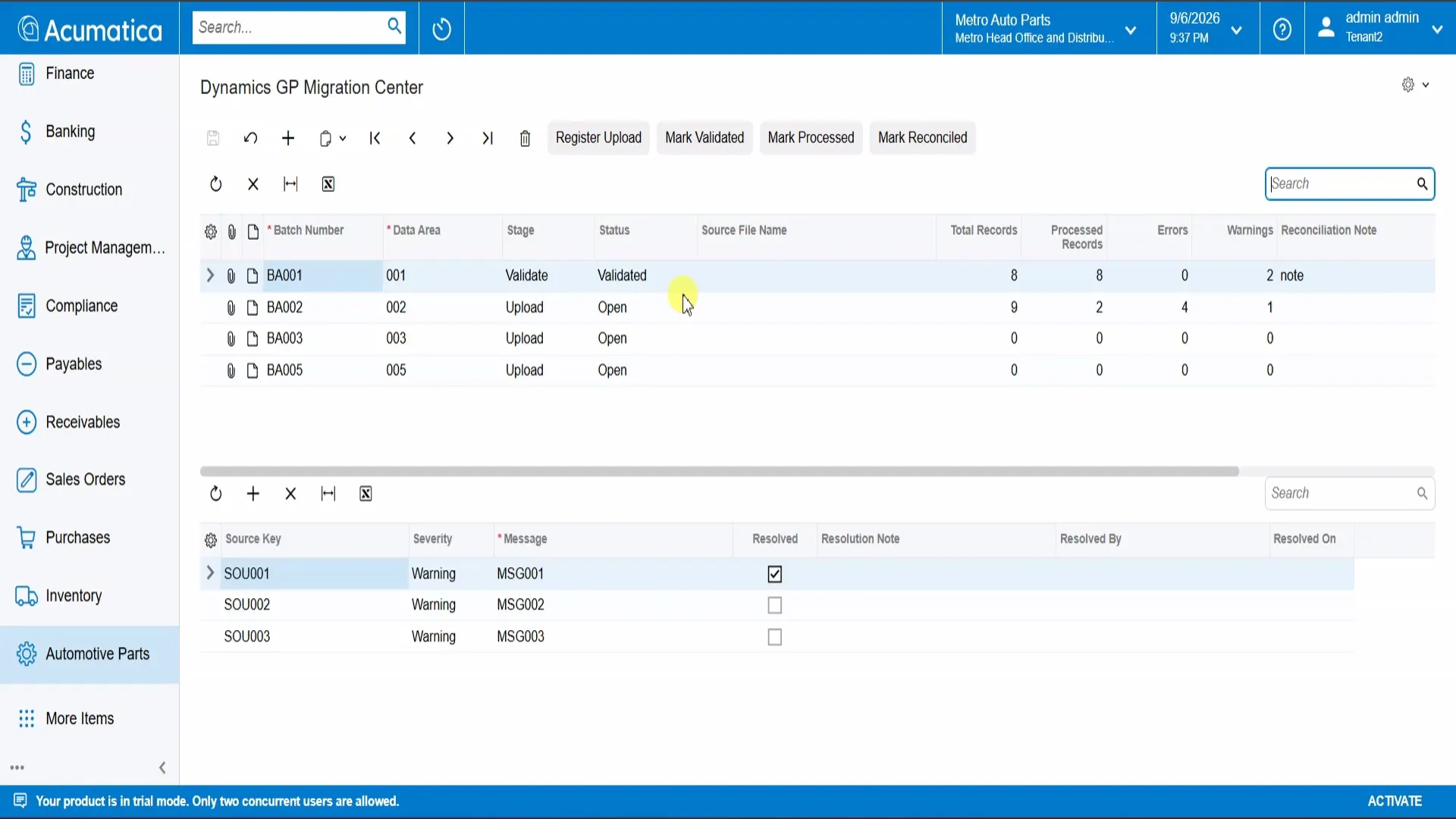
For distributors moving away from Dynamics GP, Envinse includes a dedicated Migration Center. Each data batch follows a controlled Register, Validate, Process, and Reconcile lifecycle.
Field mappings remain visible and editable. Error and warning counts are tracked by batch, and each issue can carry a resolution note. The migration team can see where every batch stands and retain a record of how exceptions were resolved before cutover.
Why These Capabilities Matter Together
Each capability removes a specific daily obstacle. Together, they allow a distributor to manage search, order creation, warehouse inventory, cores, operational reporting, and migration inside one Acumatica module using the records the rest of the business already depends on.
The practical result is less screen switching, fewer manual reconciliations, and decisions based on current operational records instead of a separately maintained spreadsheet.
Bring Your Parts Operation Into Acumatica
If your team is stitching together spreadsheets and generic ERP screens to run parts distribution, Envinse Automotive Parts can bring those workflows into Acumatica. See how the broader platform supports automotive operations in Acumatica, or tell us which search, inventory, core, reporting, and migration requirements matter to your business.
Envinse Automotive Parts is built for the Acumatica 2025 R2 25.201 baseline. Confirm compatibility and edition requirements for your Acumatica environment before implementation.
Frequently Asked Questions
Which version of Acumatica does Envinse Automotive Parts support?
It is built for the Acumatica 2025 R2 25.201 baseline and delivered in the Automotive Professional edition. Confirm compatibility with your current environment before implementation.
Is this a separate system from Acumatica?
No. It is an ISV module inside Acumatica, so it uses the same parts, inventory, sales order, and financial records. There is no separate operational system to synchronize or reconcile.
What does the module include?
It includes part cross-references, part supersession, customer and vendor core returns, multi-warehouse availability, operations and core-management dashboards, and a Dynamics GP Migration Center.
Can it help us move off Dynamics GP?
Yes. The Migration Center takes data through a structured Register, Validate, Process, and Reconcile lifecycle with visible mappings, batch-level error and warning tracking, and a resolvable issue log.
Does the search handle OEM and aftermarket cross-references?
Yes. Staff can search by keyword, manufacturer, OEM number, or customer, and the search matches cross-references and supersessions automatically.
Run Automotive Parts Distribution Inside Acumatica
Tell us how your team searches parts, allocates stock, handles cores, and plans its Dynamics GP migration. We will map the right Acumatica solution and return a fixed-price scope.
Discuss Automotive Parts for Acumatica →