Finance automation capability case study
Vendor Invoices, Processed Without the Manual Entry
Envinse AP Invoice Automation turns an emailed vendor invoice into a purchase receipt, AP bill, and linked processing record inside Acumatica, with the bill held for review.
What does Envinse AP Invoice Automation do?
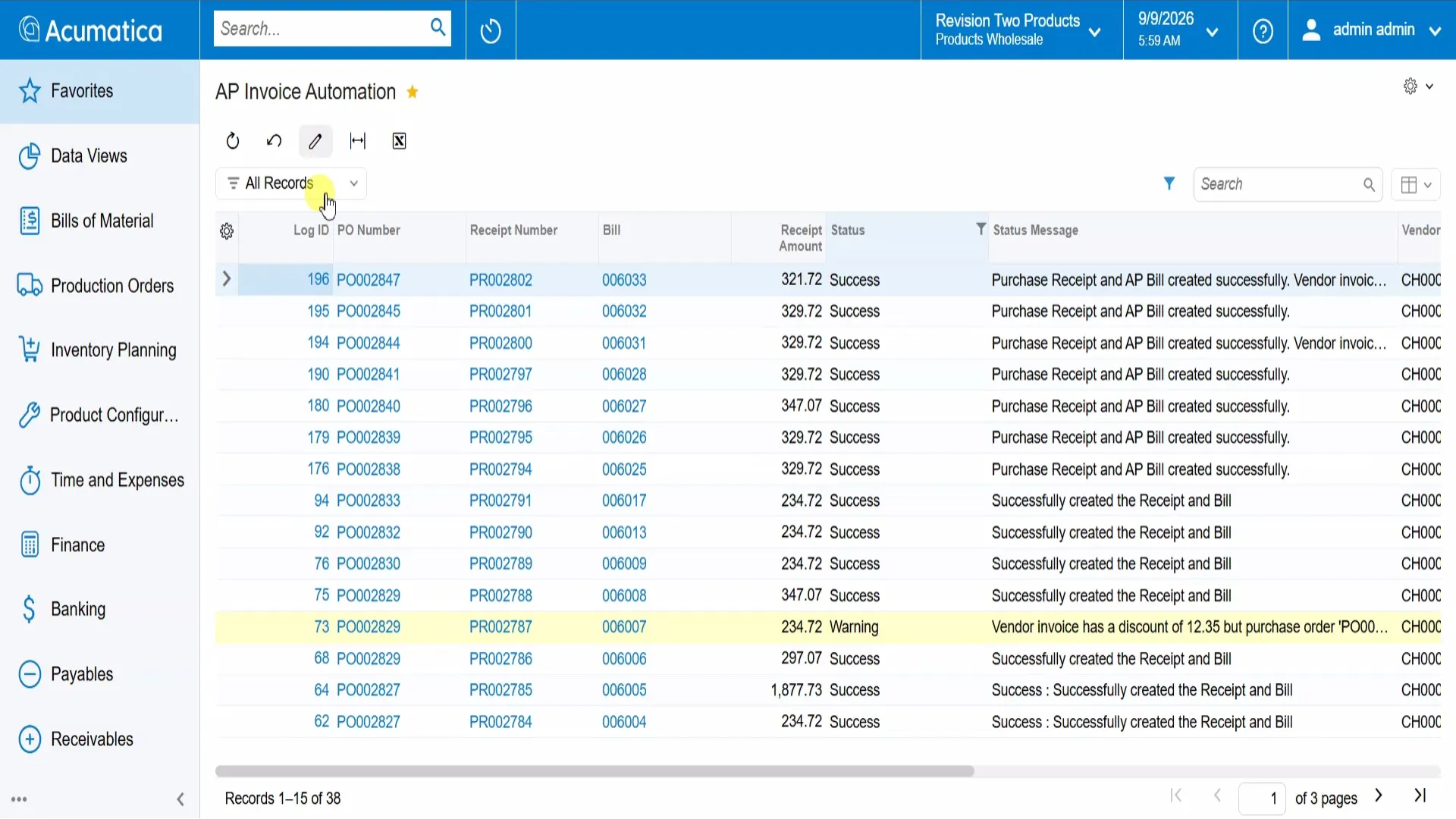
It reads vendor invoice PDFs from a configured email inbox, matches the referenced purchase order, creates the purchase receipt and AP bill, and records the processing trail in Acumatica. The demonstrated workflow also handles invoice discounts and leaves the bill on hold for AP review before payment.
The Challenge
A vendor invoice arrives by email. Someone opens the PDF, finds the matching purchase order, checks the line items and totals, keys a receipt, creates the AP bill, and sorts out any discount missing from the original order. Repeating that sequence across a busy inbox consumes time and creates opportunities for transposed figures, missed discounts, and unfinished receiving steps.
The cost extends beyond entry time. Unprocessed invoices can sit in the inbox, and answering what happened to a particular bill may require following email threads and searching for several documents.
The Solution
Envinse builds AP Invoice Automation into Acumatica to connect invoice intake with the purchasing and accounts payable records the team already uses. It monitors the configured inbox, extracts data from attached invoice PDFs, matches the referenced PO, and creates the purchase receipt and AP bill.
The processing record keeps the linked document numbers, status messages, and source invoice together. The bill is left on hold, giving AP a final review step before it proceeds through the business's approval and payment process.
How It Works
- Capture the vendor email. An invoice arrives in the monitored inbox with a PDF attachment and purchase order reference.
- Extract and match the invoice. The automation reads the PDF and checks items, quantities, and prices against the referenced PO.
- Create the receipt and bill. Successful matching starts the configured workflow: the purchase receipt is created and released, inventory updates, and the AP bill is created. Where receiving is complete, the PO moves to Completed.
- Record invoice discounts. In the demonstrated setup, a discount missing from the PO is added to the bill as a separate line using the configured non-stock discount item. The status message records that adjustment.
- Keep the processing trail. Email details, timestamps, source invoice, extracted data, status messages, and document links remain available for checking.
- Leave the bill for review. Vendor, terms, due date, reference, and configured account mappings are populated. AP reviews the bill on hold before releasing it through the normal approval and payment process.
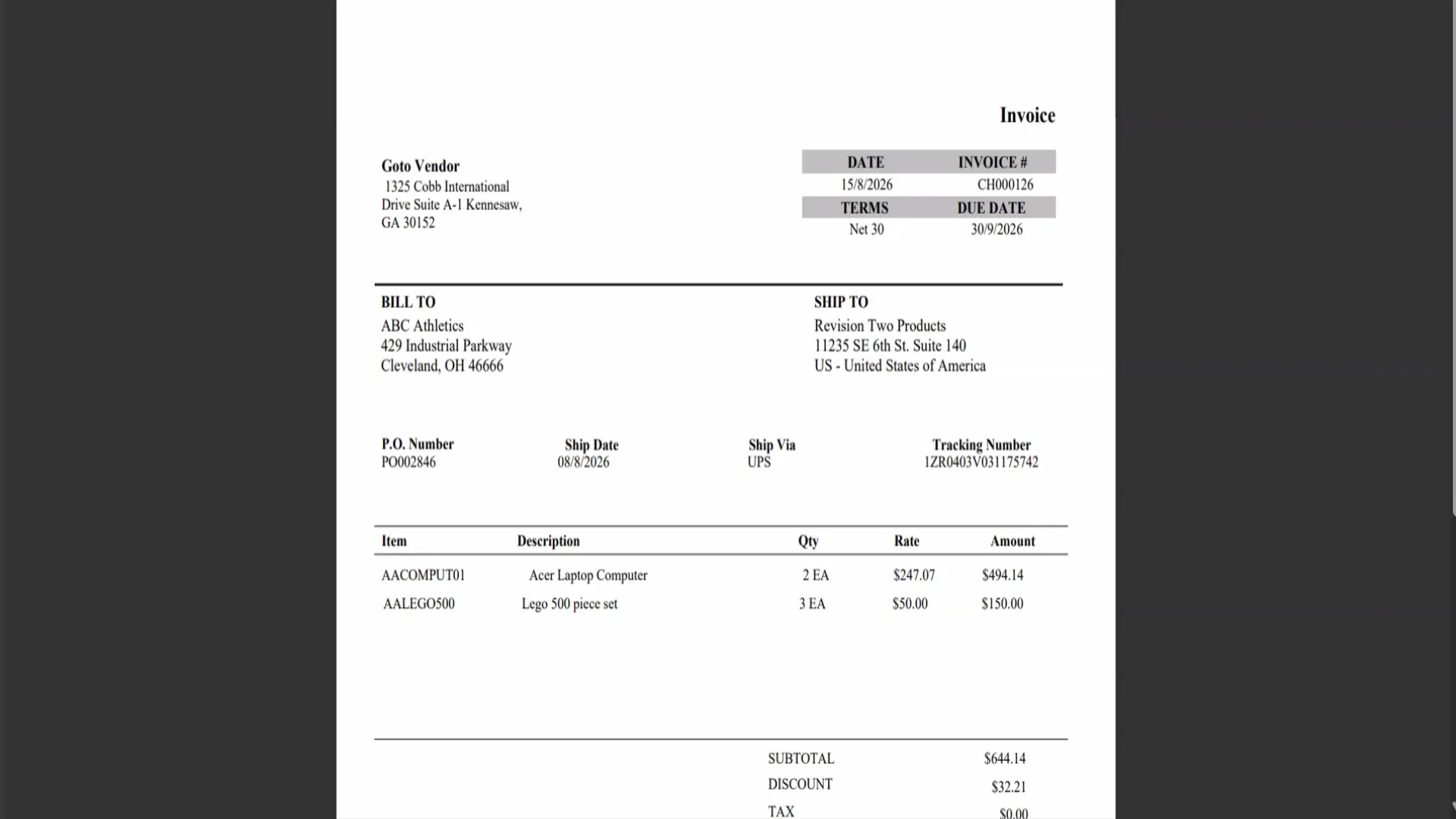
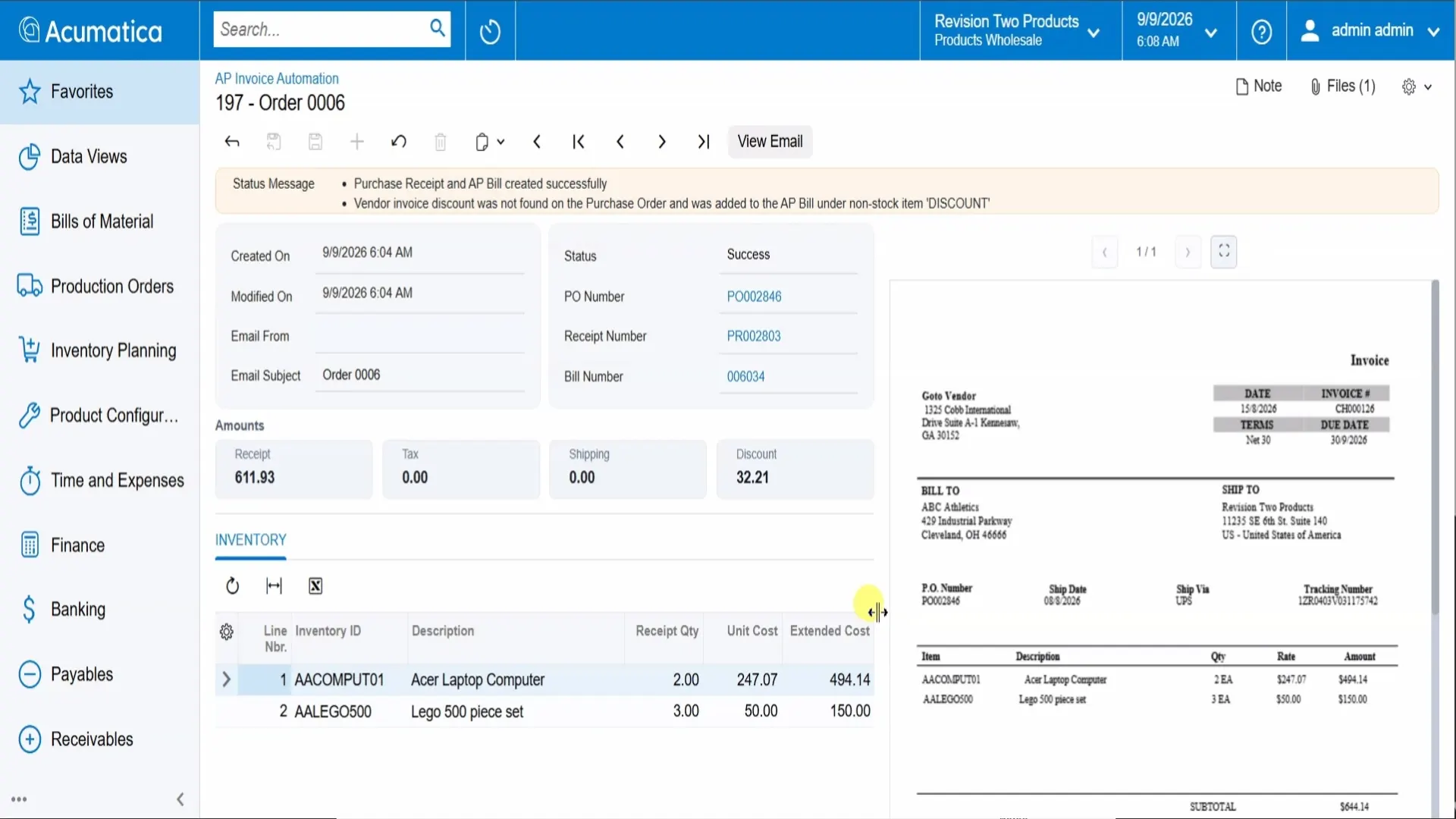
The processing detail makes the result easy to follow: AP can open the linked PO, receipt, or bill and compare the extracted lines with the original invoice preview. In the example below, the status message also explains that an invoice discount was added to the AP bill.
What It Delivers
- Less manual entry: emailed invoice data feeds receipt and bill creation instead of being retyped.
- PO-based checking: matching compares the invoice with purchasing records before the configured workflow proceeds.
- Visible discount handling: discounts absent from the PO become documented bill adjustments in the demonstrated configuration.
- Connected records: the log and detail view connect the source invoice with the PO, receipt, bill, and processing result.
- Review preserved: bills remain on hold so AP can check them before payment.
These are demonstrated capabilities. Their effect on processing time, error rates, and team capacity depends on invoice volume, document quality, and the workflow configured for the business.
Who It Fits
This approach fits Acumatica businesses receiving vendor invoice PDFs by email and matching them to purchase orders. It is especially useful when AP repeatedly enters receipt and bill data, reconciles invoice discounts, or searches across email and ERP documents to explain a processing result.
The implementation should reflect how the business receives goods, maps accounts, handles invoice differences, and reviews bills. Envinse scopes those requirements around the existing AP process.
Why Envinse
Envinse designs and implements finance automation inside Acumatica so the team can work with its existing purchasing and AP records. The solution connects invoice capture, document creation, and review around the business's requirements.
Solution demonstrated on Acumatica with Envinse AP Invoice Automation. Sample vendor, PO, invoice, and amount values shown in screenshots are demonstration data. This capability case study does not report results for a named customer; outcomes vary by implementation.
See It on Your Invoices
Tell us how vendor invoices arrive, how purchases are received, and how AP reviews bills. Envinse will map the automation to your Acumatica workflow.
Talk to Envinse About AP Invoice Automation →